Configuration
 Admin User
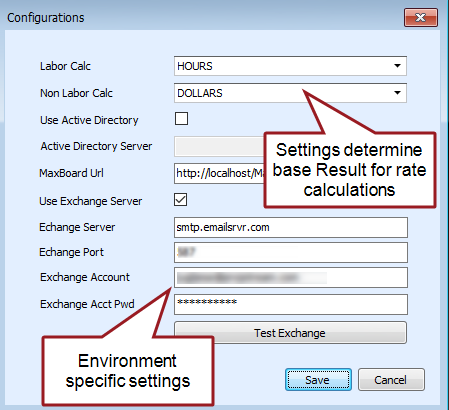
The options are typically set when ProjStream software tools are first installed. This is a system level configuration, all ProjStream software tools share these settings.
As a administrative user, you may need to set the and options in the Configurations dialog box. To do this, you may need to define the applicable Results first. The Results list determines the dropdown options. These options determine the base result value users enter to estimate or plan resource labor (typically hours) and non labor (typically direct dollars) requirements. The rating process uses these settings to calculate other values from the base value. For example, user entered labor hours times the labor rate equals the direct cost. Or, user entered direct cost times an overhead rate equals the indirect cost.
Document these system level settings so users know to use a standard base result for labor and non labor values when they set up their rate structures and create new projects.
Warning!
Once the Labor Calc and Non Labor Calc options are set and users begin to create resource structures and projects, do not change these settings. The resource structure results as well as results in the main EVMax window will fail to calculate properly if these system level settings are changed.